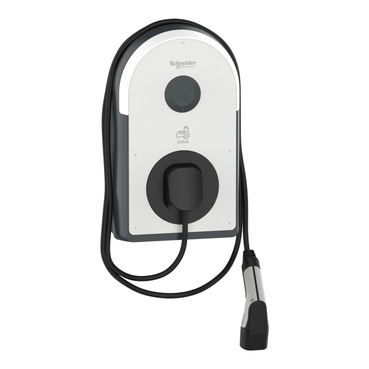
Schneider Electric charging stations

Supported Devices
| Device Type | Variants | Modbus TCP (Ethernet) | RS485 |
|---|---|---|---|
| EVlink Pro AC | GEX Series | ✅ | ❌ |
Connection
The communication between the Sofar EMS and the Schneider charging station takes place via Modbus TCP.
- Connect the charging station to the same local network (LAN) as the EMS using an Ethernet cable.
- For correct ethernet wiring standards, follow the guidelines for ethernet wiring.
Configuration
To allow the Sofar EMS to control the station, you must enable Modbus TCP via the eSetup for Electrician app or the charger's web interface.
- Log in to the charger using the eSetup app.
- Go to the Network settings and assign a Static IP address to the charger. This ensures the EMS can always find it.
- Go to Communication (or Backend) settings.
- Set Modbus TCP to Enable.
- Ensure the Port is set to 502.
- Save the settings and reboot the charger if prompted.
atenção
Make sure the Modbus Slave ID is set to 1 (or between 1 and 247). The default address is usually 1 or 255.
Adding to the Controller
- Go to the Sofar EMS web interface.
- Navigate to Devices > Add Device.
- Select Schneider > Modbus TCP.
- Enter the IP Address you configured in the charger.
- Enter Port 502.
- Click Scan.