
SolarEdge API Integration

Waarschuwing
Waarschuwing
The API is only available for Cloud controllers.
API Key Setup
Step 1: Create an API key in the SolarEdge portal
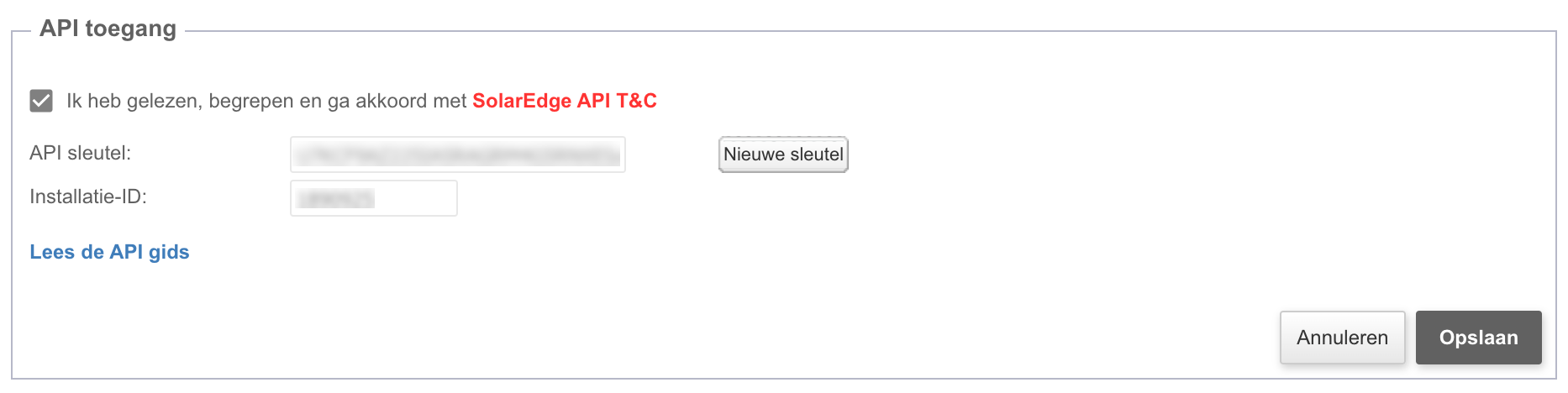
Waarschuwing
Waarschuwing
You must save the API key in a safe place, because you can only see it once. If you lose it, you need to create a new one.
Installation Configuration
Single Installation Setup
Share the Installation
To allow us to control an installation via the cloud, you need to:
-
Add our customer email address in the user management section in the SolarEdge portal:
- Email format:
yourcompanyname@smartgridx.io
- Email format:
-
Create a ticket on https://eniris.io and provide the following information:
- Serial numbers of the inverters
- Installation ID
- API key
Multiple Installations Setup
Share Information
Add our account as administrator:
Create a ticket on https://eniris.io and provide the following information:
- API key