

Wspierane urządzenia
| Device Type | Variants | Modbus TCP (Ethernet) | RS485 | Curtailment |
|---|---|---|---|---|
| Trójfazowy inwerter hybrydowy | SUNSYNK-12K-SG04LP3, SUNSYNK-50K-SG01HP3-EU-BM4 | ✅ | ✅ | ✅ |
Okablowanie
RS485
Informacja
RS485 Wiring
- For correct RS485 wiring: Follow the guidelines for RS485 wiring.
- If the wiring shown in the table below is incorrect, please let us know.
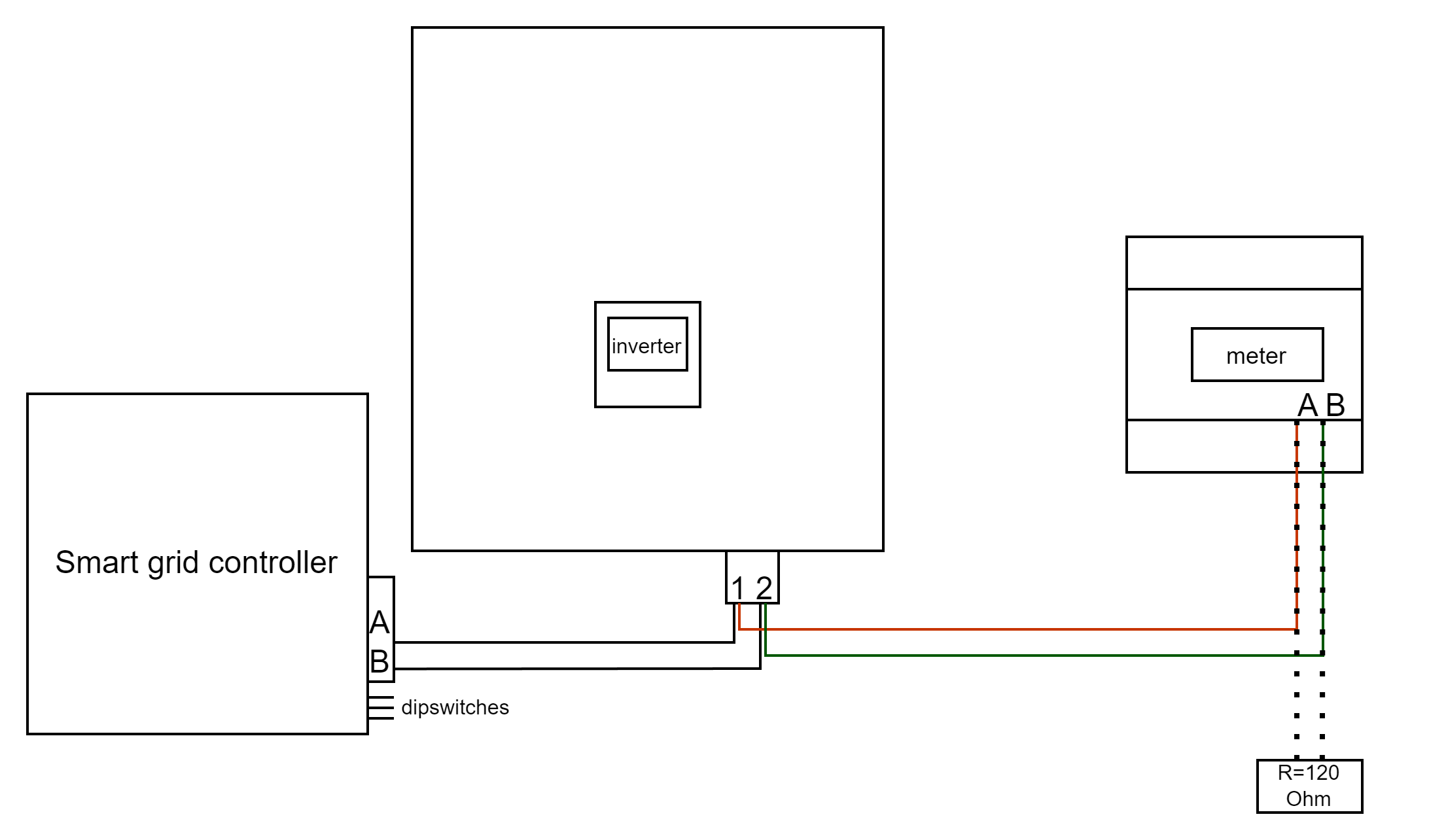
- There is no general consensus in the industry about the usage of A and B for the RS485 polarity, so it may be counterintuitive and opposite of what you might expect for some devices.
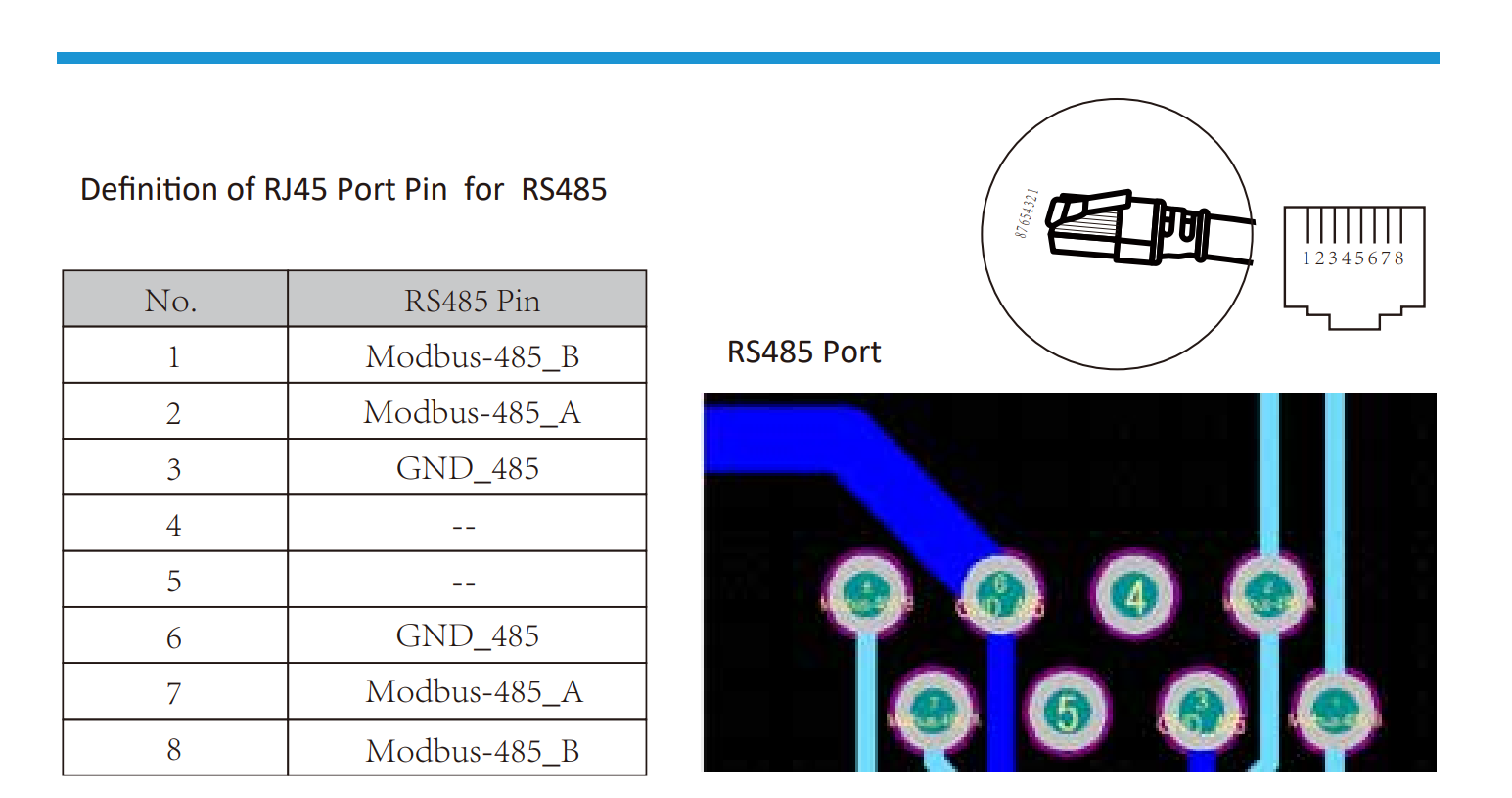
| Device | Sofar EMS model OM1 | Sofar EMS model IG8 | RS485-USB converter | RS485-Ethernet converter |
|---|---|---|---|---|
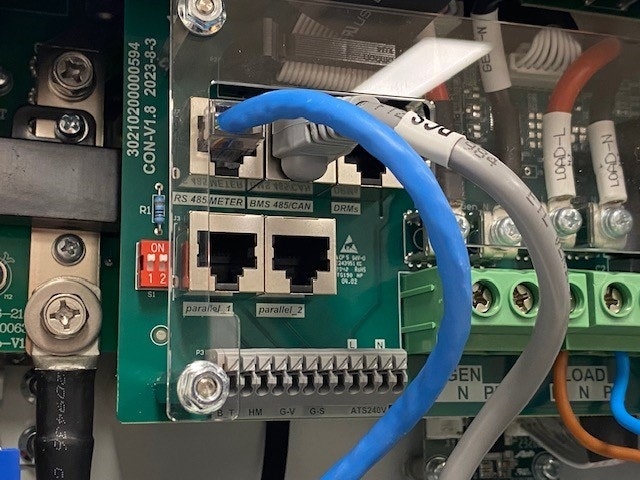
| Pin 1 / Modbus-485_B | RS485 A | RS485_POS | RS485 A | TX+ |
| Pin 2 / Modbus-485_A | RS485 B | RS485_NEG | RS485 B | TX- |
| Pin 3 / GND_485 | RS GND | GND | Not available | G |
Konfiguracja
Ostrzeżenie
NOTE: RS485 Device Addresses
- You MUST give each device on the RS485 bus a unique address. Check the manual of the device on how to do this.
- Use lower addresses first (1, 2, ...) because the Sofar EMS will find them faster!
- For each device, it is generally recommended to stick with the factory default baud rate, parity, and stop bits. The Sofar EMS will scan on those first.
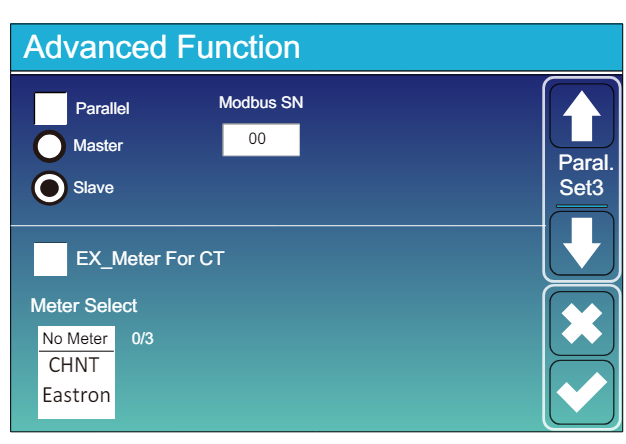
Przejdź do “Main Screen” >> “System Settings” >> “Advanced Function.”
- Modbus SN powinien być ustawiony na dowolną wartość od 1 do 247. Nie wybieraj 0!! Pamiętaj, że jeśli na magistrali RS485 jest kilka urządzeń, każde powinno mieć unikalny numer. To jest adres.
- Opcja Slave powinna być zaznaczona.
- Tylko wtedy, gdy dodatkowy licznik jest podłączony bezpośrednio do inwertera, opcja “EX_meter For CT” powinna być zaznaczona. Jeśli licznik jest tylko równolegle z Sofar EMS, powinna być odznaczona.
- Upewnij się, że wszystkie następujące ustawienia są poprawne: "Max A Charge", "Max A Discharge", "Grid Charge Ampere"
Last updated May 4, 2026Edit this page