

Inversores SolarEdge SE2200H - SE6000H
Dispositivos Compatibles
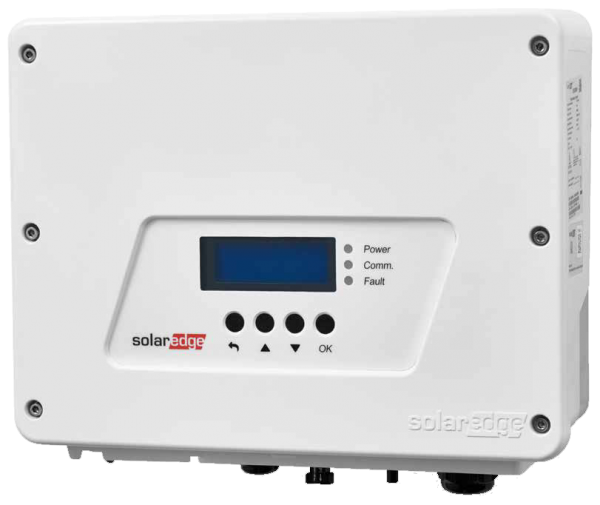
| Device Type | Modbus TCP (Ethernet) | RS485 | Curtailment | Minimum device firmware version |
|---|---|---|---|---|
| SolarEdge SE2200H | ✅ | ✅ | 🔶 (ver advertencia abajo) | v3.0 (Consejo: si la app SolarEdge SetApp funciona, el firmware será lo suficientemente reciente) |
| SolarEdge SE3000H | ||||
| SolarEdge SE3500H | ||||
| SolarEdge SE3680H | ||||
| SolarEdge SE4000H | ||||
| SolarEdge SE5000H | ||||
| SolarEdge SE6000H |
Advertencia
Advertencia
EL CONTROL DE POTENCIA (CURTAILMENT) SÓLO ESTÁ SOPORTADO DESPUÉS DE OBTENER UN ACUERDO CON SOLAREDGE
Si el control de potencia no funciona en su dispositivo SolarEdge, probablemente no esté habilitado por SolarEdge. Contacte a SolarEdge para habilitar el control de sus dispositivos. [!WARNING] SolarEdge se niega a ayudar a los clientes con el control de potencia (curtailment).
Cableado
Para un cableado ethernet correcto: Siga las directrices para el cableado ethernet.
Configuración
Activar comunicación Modbus TCP
En el menú, navegue a "Communication" -> "LAN Conf" -> "Modbus TCP", y active Modbus TCP.
Cuando se active Modbus TCP, se mostrará la siguiente pantalla de estado:
Modbus TCP: <status>
IP:192.168.1.210
Puerto:502