

Appareils pris en charge
| Device Type | Manual | Modbus TCP (Ethernet) | RS485 | Curtailment |
|---|---|---|---|---|
| MIN 2500-6000TL-X | Manual | ❌ | ✅ | ✅ |
| MIN 2500-6000TL-XH | Manual | |||
| MIN 7000-10000TL-X | Manual | |||
| MIN 7000-10000TL-X2 | Manual |
Câblage
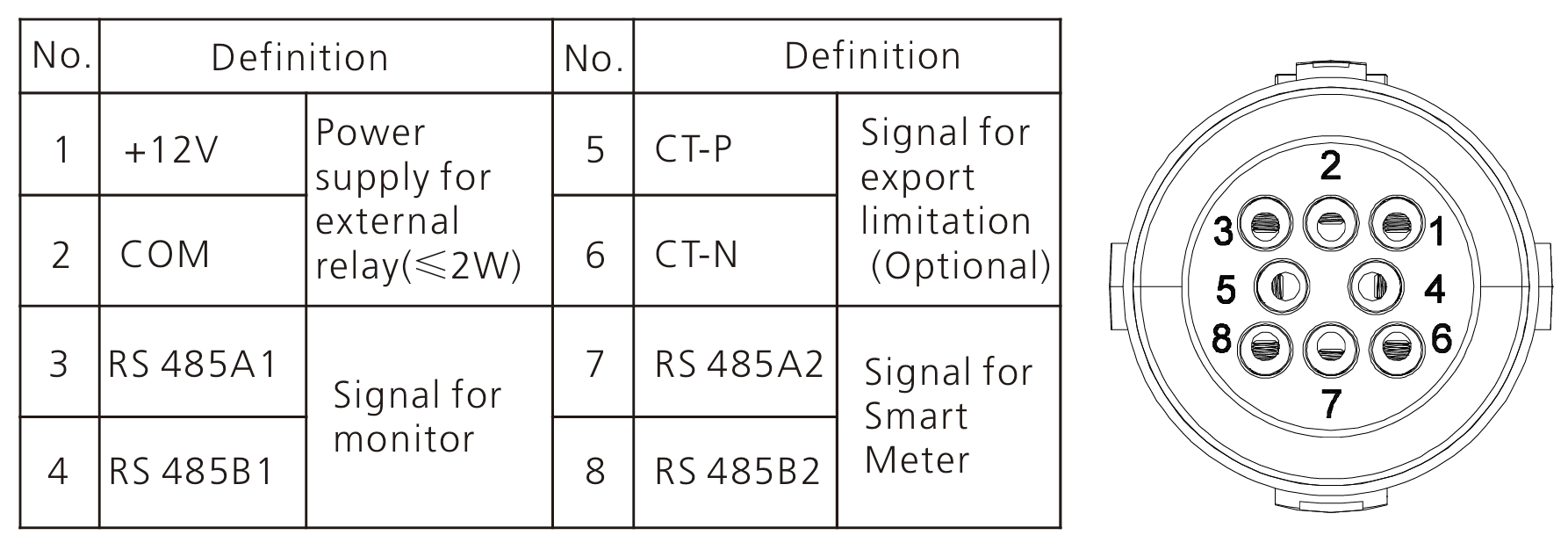
RS485 - MIN 2500-6000TL
Info
RS485 Wiring
- For correct RS485 wiring: Follow the guidelines for RS485 wiring.
- If the wiring shown in the table below is incorrect, please let us know.
- There is no general consensus in the industry about the usage of A and B for the RS485 polarity, so it may be counterintuitive and opposite of what you might expect for some devices.
| Device | Sofar EMS model OM1 | Sofar EMS model IG8 | RS485-USB converter | RS485-Ethernet converter |
|---|---|---|---|---|
| RS485 A1 | RS485 A | RS485_POS | RS485 A | TX+ |
| RS485 B1 | RS485 B | RS485_NEG | RS485 B | TX- |
| N/A | RS GND | GND | Not available | G |
RS485 - MIN 7000-10000TL
Info
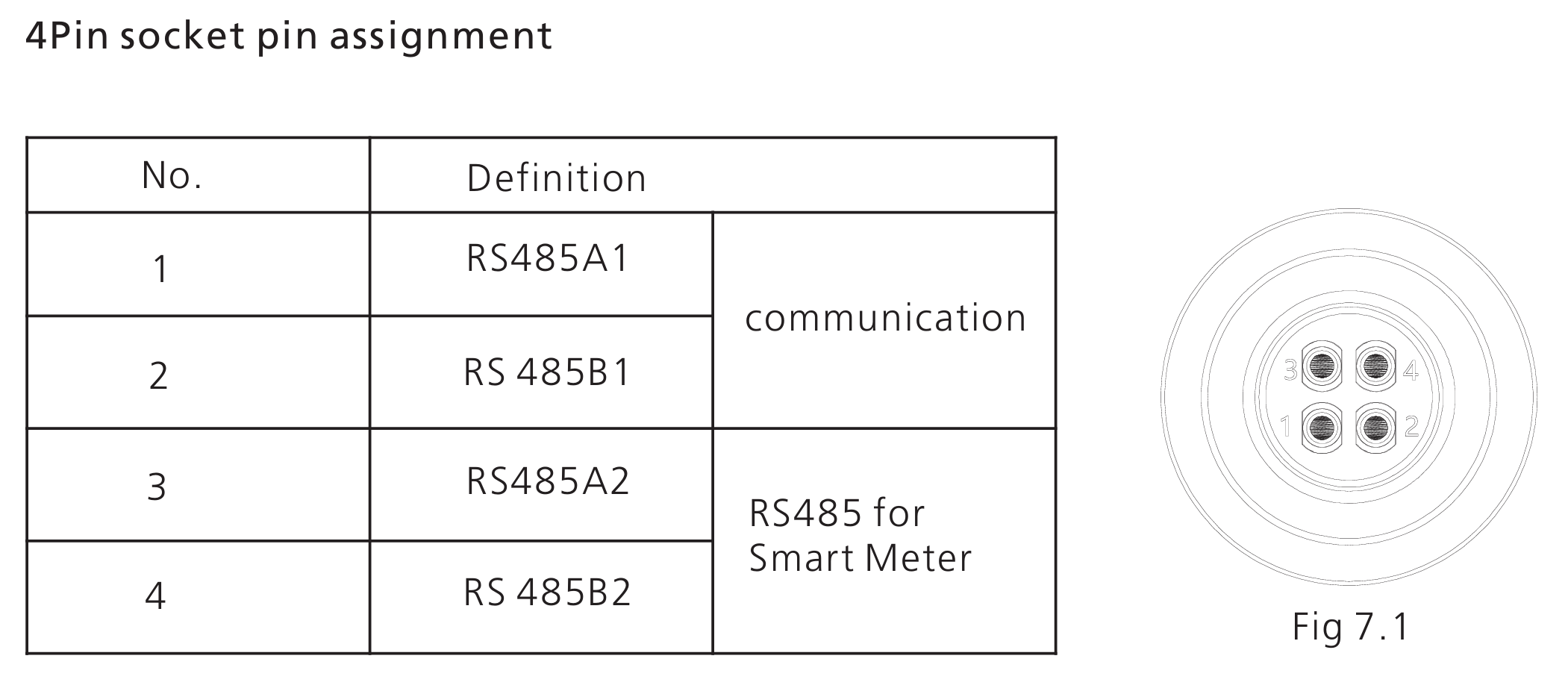
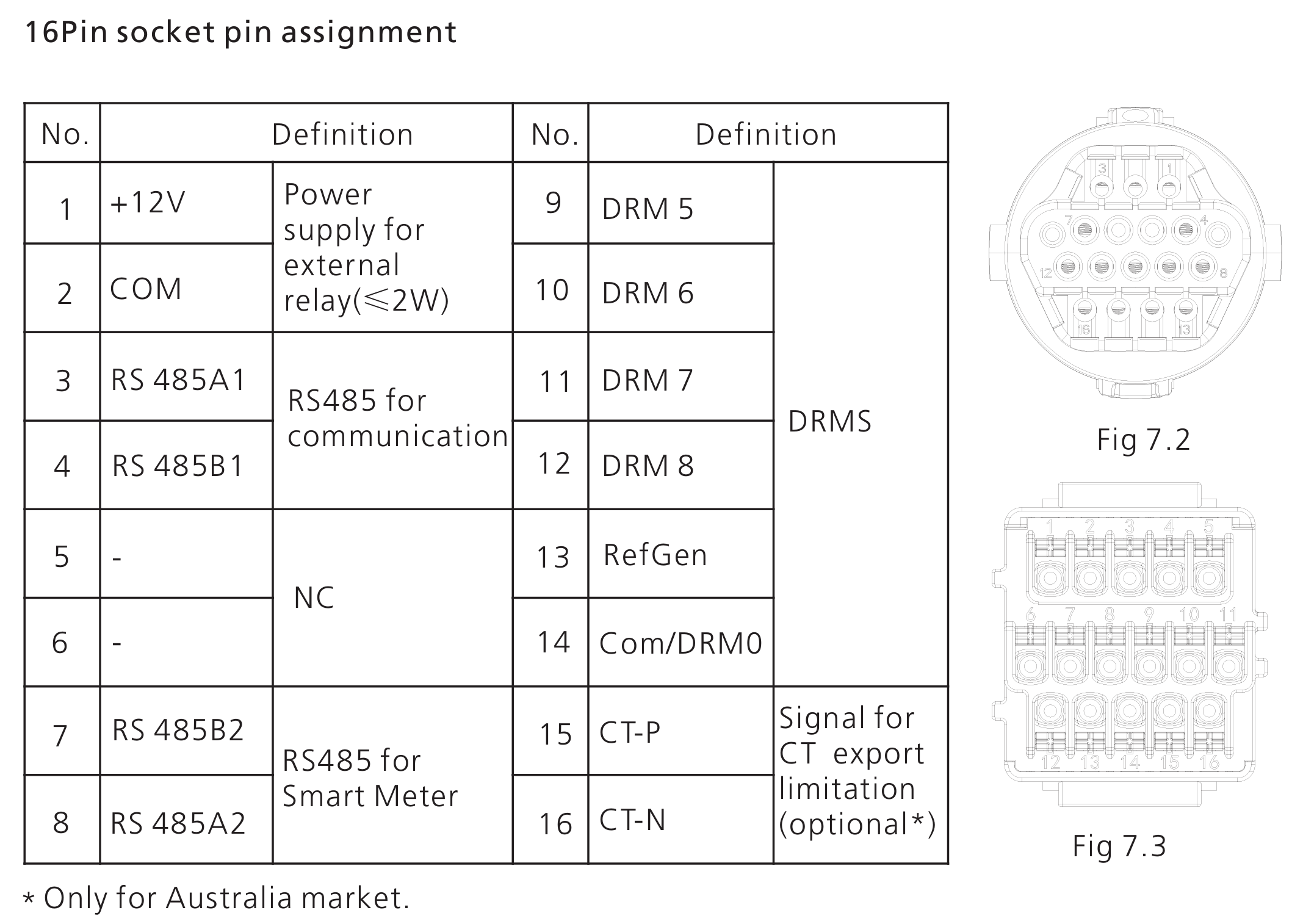
RS485 Wiring
- For correct RS485 wiring: Follow the guidelines for RS485 wiring.
- If the wiring shown in the table below is incorrect, please let us know.
- There is no general consensus in the industry about the usage of A and B for the RS485 polarity, so it may be counterintuitive and opposite of what you might expect for some devices.
| Device | Sofar EMS model OM1 | Sofar EMS model IG8 | RS485-USB converter | RS485-Ethernet converter |
|---|---|---|---|---|
| RS485 A1 | RS485 A | RS485_POS | RS485 A | TX+ |
| RS485 B1 | RS485 B | RS485_NEG | RS485 B | TX- |
| N/A | RS GND | GND | Not available | G |
Avertissement
NOTE: RS485 Device Addresses
- You MUST give each device on the RS485 bus a unique address. Check the manual of the device on how to do this.
- Use lower addresses first (1, 2, ...) because the Sofar EMS will find them faster!
- For each device, it is generally recommended to stick with the factory default baud rate, parity, and stop bits. The Sofar EMS will scan on those first.
Last updated February 18, 2026Edit this page