

Teltonika EV Ladestationer
Understøttede enheder
| Device Type | Variants | Modbus TCP (Ethernet) | RS485 |
|---|---|---|---|
| TeltoCharge | 7.4kW/11kW/22kW | ✅* | ✅ |
Advarsel
Advarsel
TCP er kun tilgængeligt for version EVC2 eller nyere generation af EV-ladere.
Tilslutning
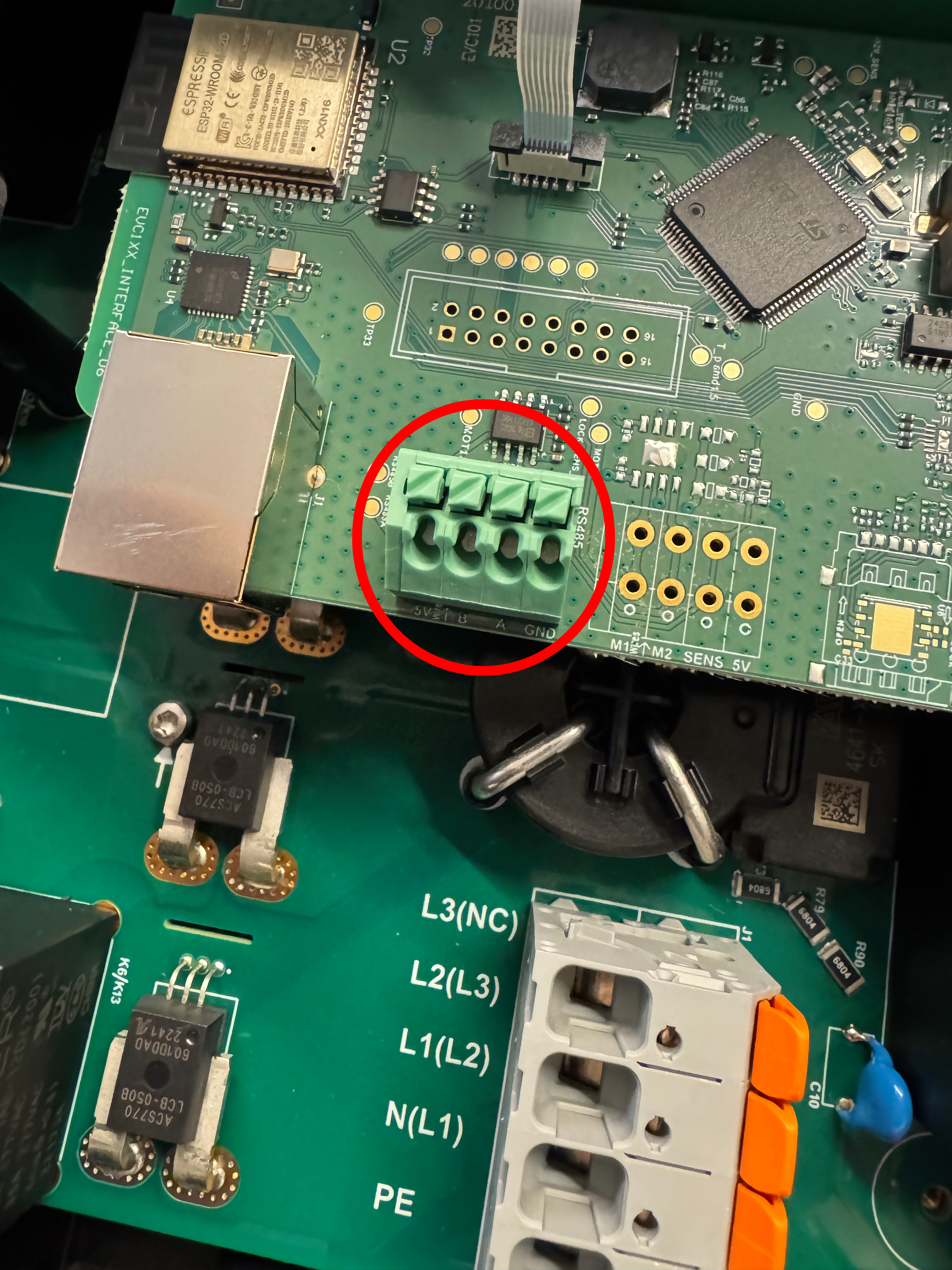
Kommunikationen mellem Sofar EMS og TeltoCharge foregår via en RS-485 seriel bus eller Modbus TCP.
Info
RS485 Wiring
- For correct RS485 wiring: Follow the guidelines for RS485 wiring.
- If the wiring shown in the table below is incorrect, please let us know.
- There is no general consensus in the industry about the usage of A and B for the RS485 polarity, so it may be counterintuitive and opposite of what you might expect for some devices.
| Device | Sofar EMS model OM1 | Sofar EMS model IG8 | RS485-USB converter | RS485-Ethernet converter |
|---|---|---|---|---|
| RS485 A | RS485 A | RS485_POS | RS485 A | TX+ |
| RS485 B | RS485 B | RS485_NEG | RS485 B | TX- |
| GND | RS GND | GND | Not available | G |
Advarsel
NOTE: RS485 Device Addresses
- You MUST give each device on the RS485 bus a unique address. Check the manual of the device on how to do this.
- Use lower addresses first (1, 2, ...) because the Sofar EMS will find them faster!
- For each device, it is generally recommended to stick with the factory default baud rate, parity, and stop bits. The Sofar EMS will scan on those first.
Indstillinger
Følg nedenstående trin for at aktivere Modbus på TeltoCharge:
- Åbn enhedsindstillingerne i Teltonika-appen.
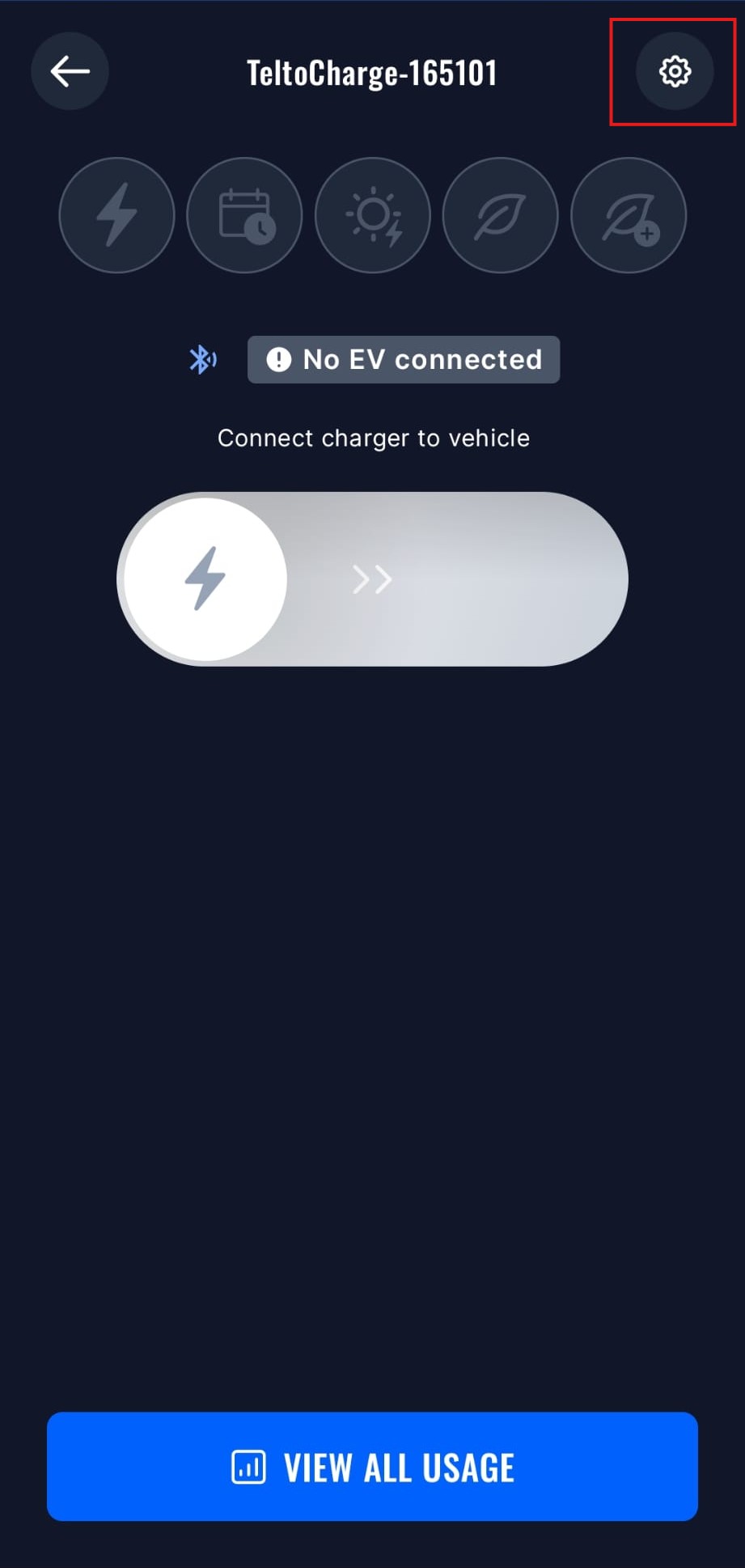
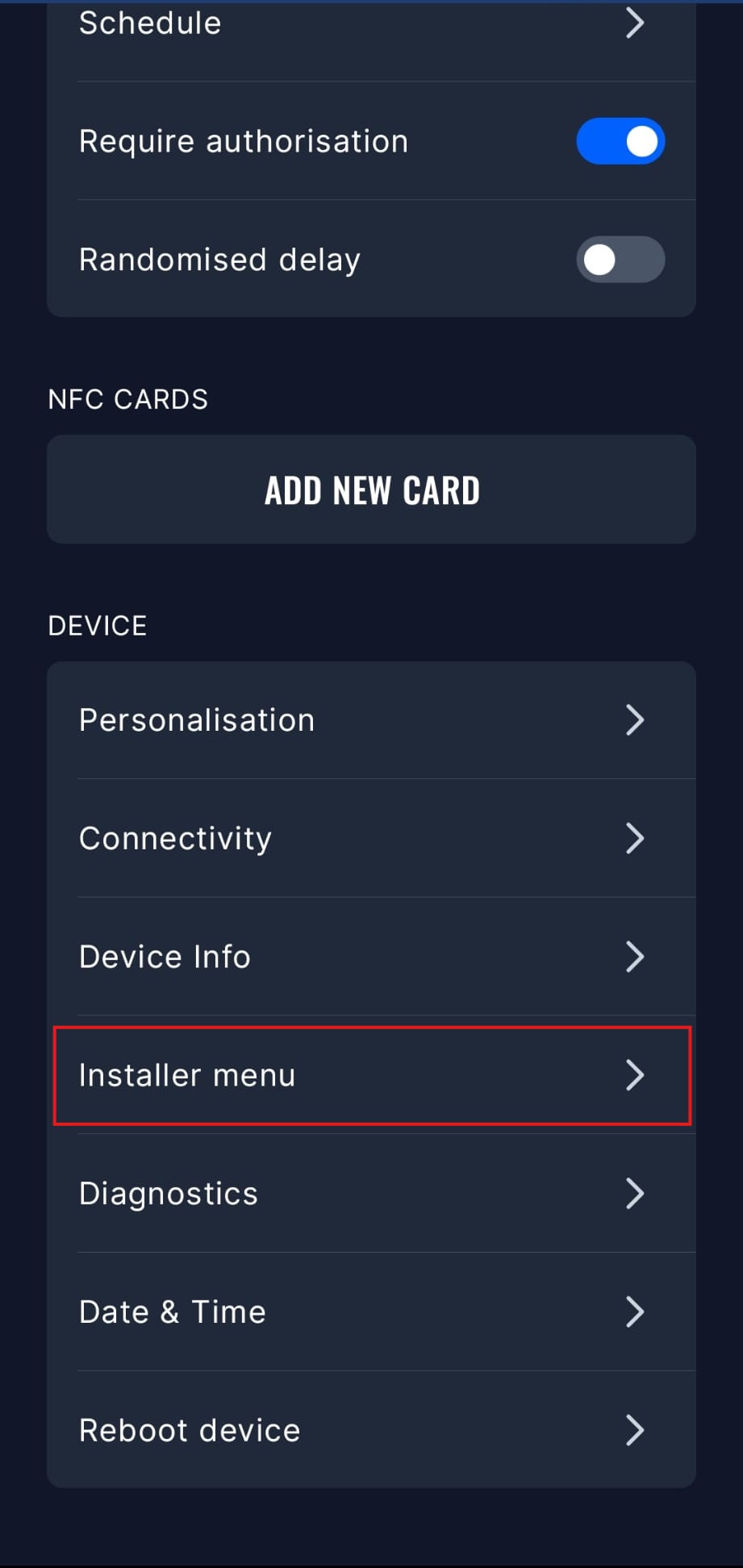
- Åbn Installatørmenuen, du skal indtaste installatørkoden for at få adgang til denne menu.
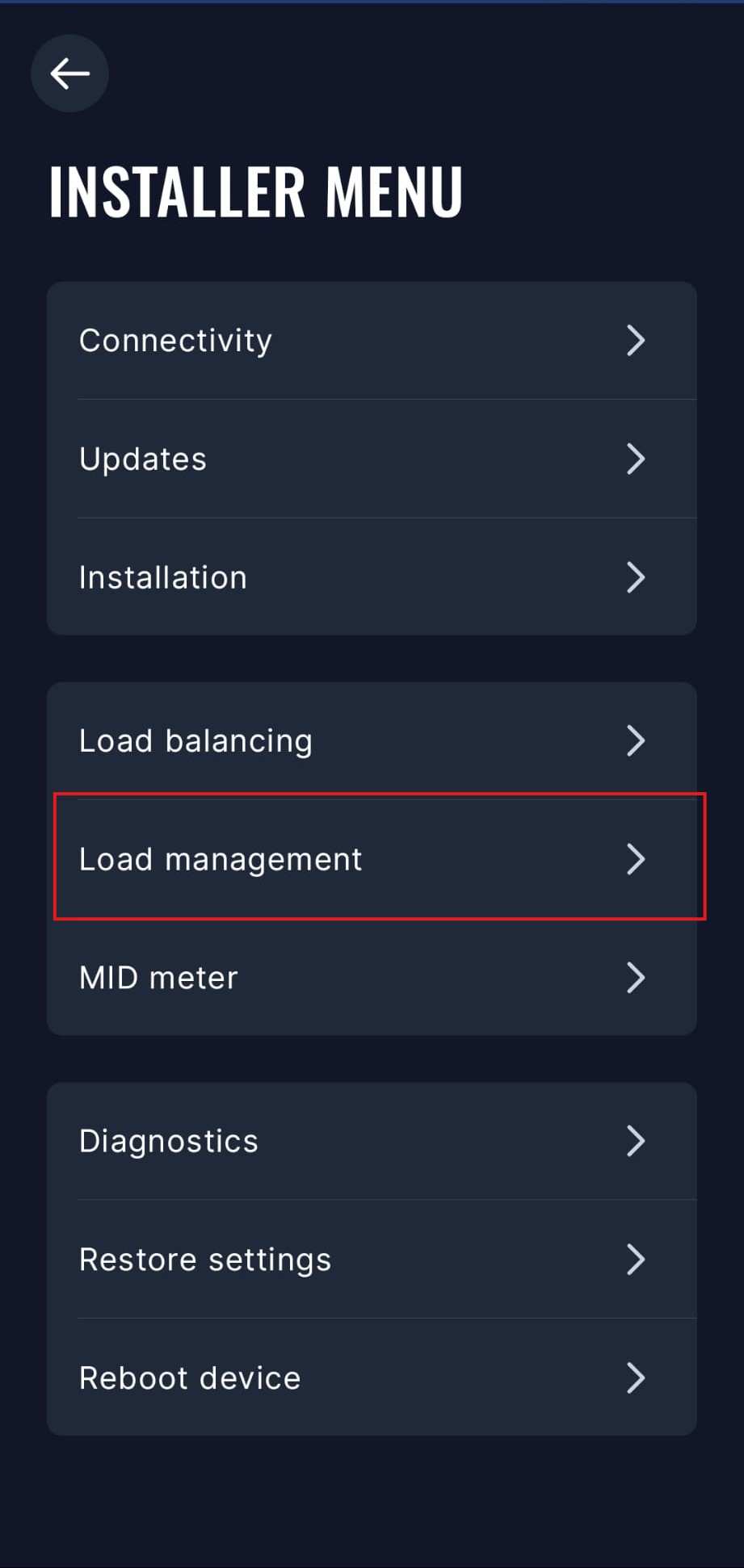
- Åbn menuen for Laststyring.
- Vælg Modbus RTU-muligheden. Du skal deaktivere andre kommunikationsmuligheder for at aktivere Modbus RTU.
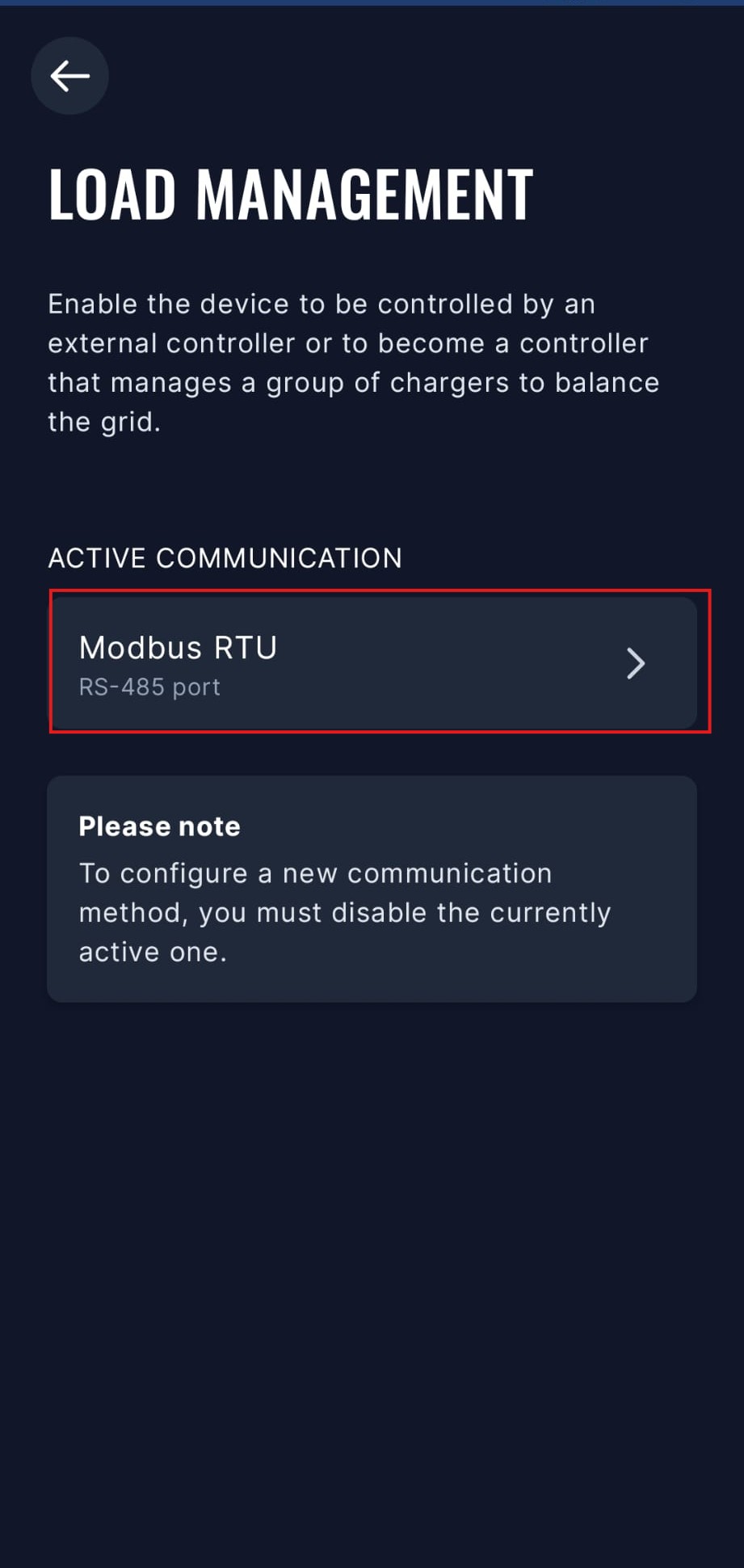
- Vælg "Sekundær enhed" tilstand og aktiver den. Du kan også sætte Modbus-adressen og andre avancerede indstillinger i denne menu, men standardindstillingerne burde fungere fint.
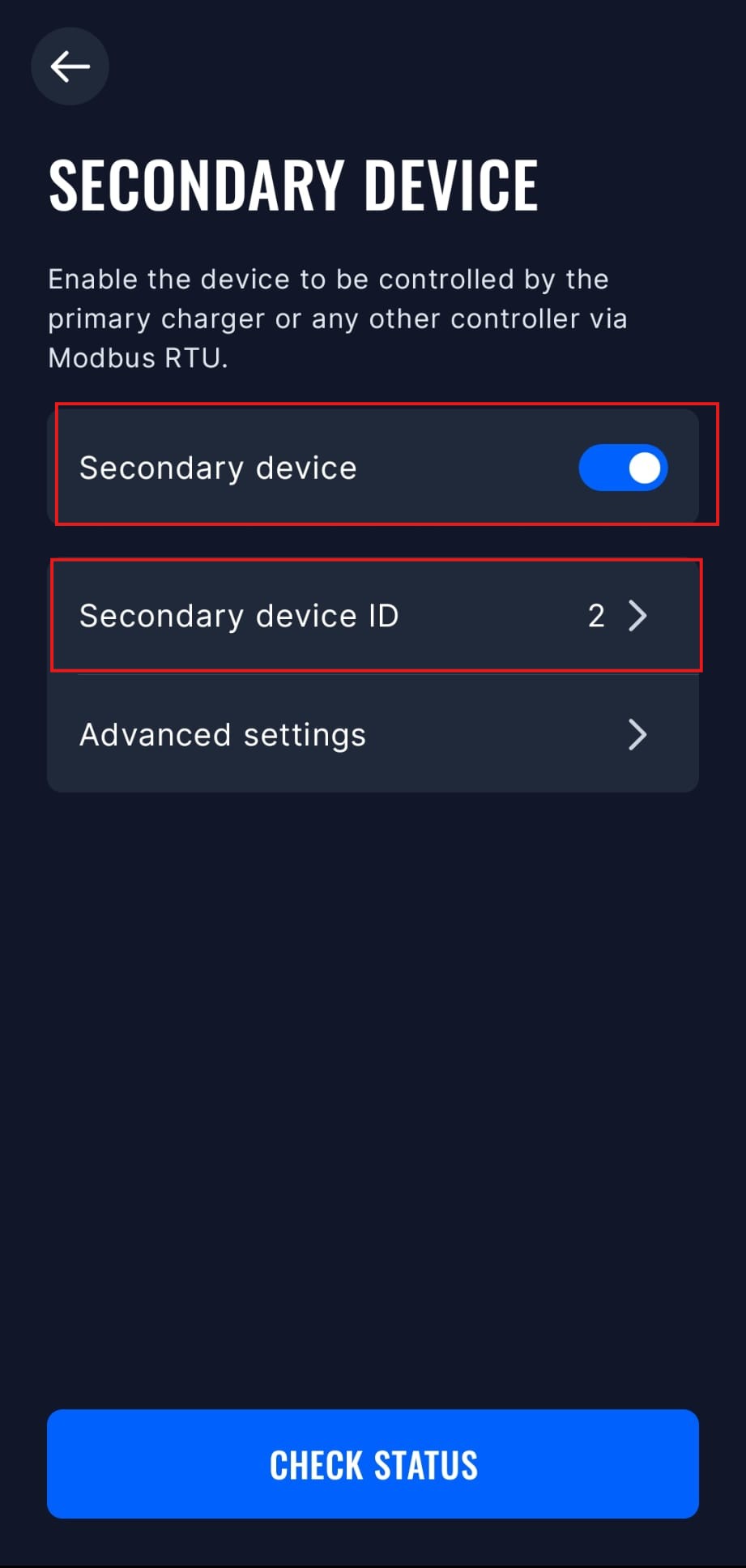
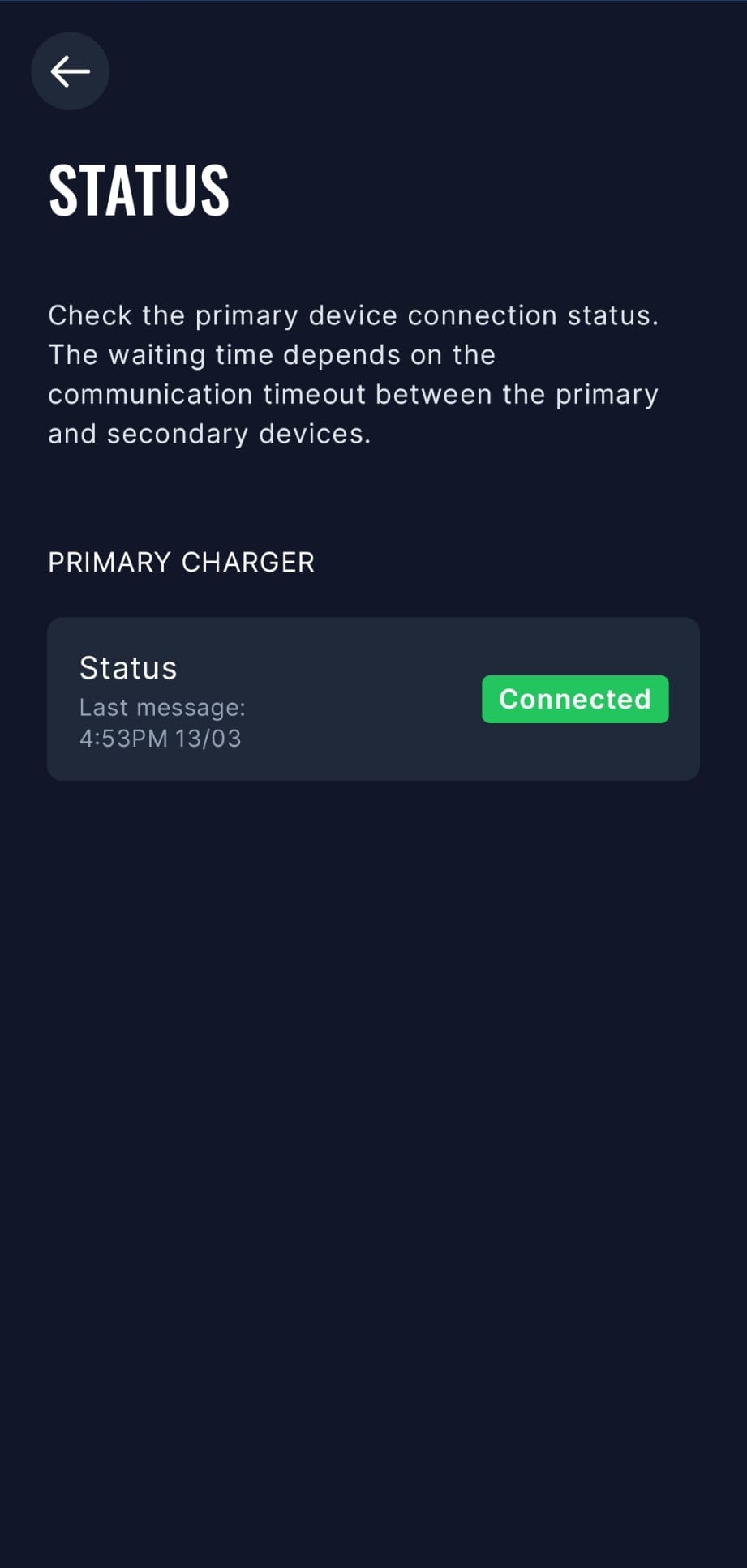
- Sofar EMS vil nu kunne kommunikere med TeltoCharge via Modbus RTU. Du kan tjekke forbindelsesstatus i appen.
Ældre modeller
TeltoCharge skal have modbus aktiveret:
- Åbn Teltonika-appen
- Gå til "Indstillinger" -> "Installatørmenu"
- Aktivér "Dynamisk lastbalancering"
- Efter dette vil "Dynamisk laststyring" blive synligt
- Scroll ned og aktiver "Dynamisk laststyring"
- Klik "Gem"
- TeltoCharge genstarter nu og modbus vil være aktiveret