
Carlo Gavazzi VMU-S String Meeteenheid

Ondersteunde Apparaten
| Device Type | Modbus TCP (Ethernet) | RS485 |
|---|---|---|
| Carlo Gavazzi VMU-S | ❌ | ✅ |
Opmerking
Systeemarchitectuur De VMU-S is een modulair systeem. Het vereist een VMU-M (Master) unit om de RS485-communicatie af te handelen. De VMU-S modules worden rechtstreeks aan de zijkant van deze masterunit aangesloten.
| VMU-S (String Unit) | VMU-M (Master Unit) |
|---|---|
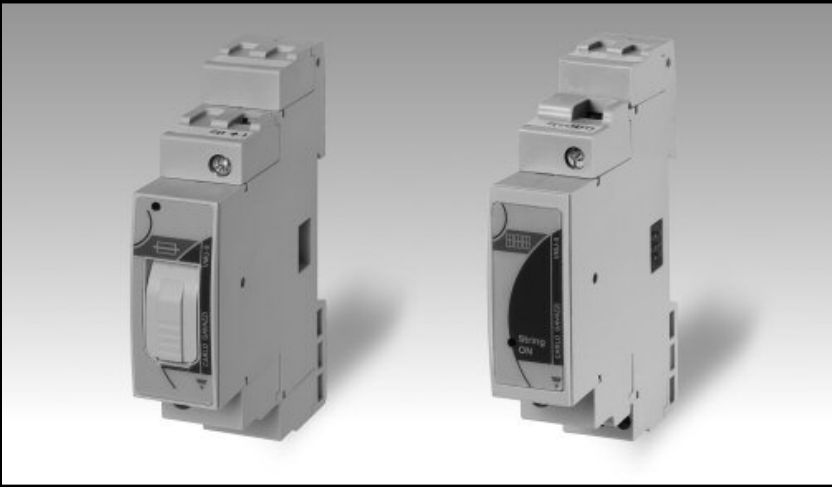 | 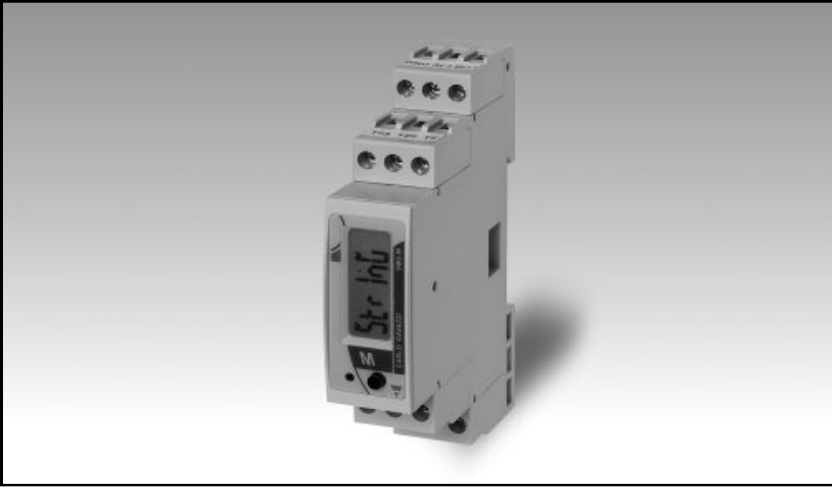 |
Bekabeling
Busverbinding (Mechanisch)
De VMU-S wordt via de lokale busconnector aan de zijkant verbonden met de VMU-M masterunit.
Let op
Niet hot-swappen! Risico op apparatuur schade: Verbind of ontkoppel de VMU-S modules alleen wanneer de stroomvoorziening UIT is. Het aansluiten van modules terwijl het systeem onder spanning staat kan de interne elektronica beschadigen.
RS485 (Gegevensverbinding)
Hoewel je meet met de VMU-S, wordt de RS485-kabel aangesloten op de VMU-M Master unit. De VMU-S stuurt zijn gegevens intern naar deze masterunit.
RS485 Wiring
- For correct RS485 wiring: Follow the guidelines for RS485 wiring.
- If the wiring shown in the table below is incorrect, please let us know.
- There is no general consensus in the industry about the usage of A and B for the RS485 polarity, so it may be counterintuitive and opposite of what you might expect for some devices.
| Device | Sofar EMS model OM1 | Sofar EMS model IG8 | RS485-USB converter | RS485-Ethernet converter |
|---|---|---|---|---|
| Terminal 11 / B- | RS485 A | RS485_POS | RS485 A | TX+ |
| Terminal 12 / A+ | RS485 B | RS485_NEG | RS485 B | TX- |
| Terminal 10 / GND | RS GND | GND | Not available | G |
DC Stroombekabeling (VMU-S)
De VMU-S modules worden in serie aangesloten met de PV-strings:
- Bovenste Aansluitingen (1 & 3): Ingang van PV String (+ en -).
- Onderste Aansluitingen: Uitgang naar Omvormer (+ en -).
Waarschuwing
Polariteit Zorg voor de correcte polariteit (Boven naar Beneden). Als de polariteit omgekeerd is, zal de Status LED op de VMU-S Violet knipperen (Blauw -> Violet cyclus).
Configuratie
1. Hardwareconfiguratie (VMU-M)
Omdat de VMU-S geen display heeft, configureer je de Modbus-instellingen op de Master unit (VMU-M).
NOTE: RS485 Device Addresses
- You MUST give each device on the RS485 bus a unique address. Check the manual of the device on how to do this.
- Use lower addresses first (1, 2, ...) because the Sofar EMS will find them faster!
- For each device, it is generally recommended to stick with the factory default baud rate, parity, and stop bits. The Sofar EMS will scan on those first.
- Houd op de VMU-M unit de joystick ingedrukt om het menu te openen (Wachtwoord: 0000).
- Ga naar INSTELLINGEN > COM.
- Stel het ADRES in (bijv. 1). Dit is het adres dat je gebruikt in de EMS.
- Stel de BAUDRATE in op 9600 (standaard).
- Stel de PARITEIT in op Geen (standaard).
2. Module Scan
Na het installeren van de VMU-S modules moet de Master unit deze herkennen:
- Ga op de VMU-M naar INSTELLINGEN > SYSTEEM.
- Selecteer Modules Scan.
- Controleer op het display of het aantal gevonden modules overeenkomt met het aantal geïnstalleerde VMU-S units.
3. EMS Configuratie
Bij het toevoegen van dit apparaat aan de EMS wordt gevraagd naar het Aantal Strings.
- Voer het totaal aantal VMU-S modules in die op deze specifieke VMU-M Master unit zijn aangesloten.
- De driver scant automatisch en voegt elke string toe als een sub-apparaat.
