
Ampowr Omvormers

Ampowr Omvormers
Ondersteunde Apparaten
| Device Type | Variants | Modbus TCP (Ethernet) | RS485 |
|---|---|---|---|
| Ampihome | Enkelfasig | ❌ | ✅ |
| Drijfasig | |||
| Hybride | ✅ |
Bekabeling
De Sofar EMS en de Ampihome omvormers communiceren via RS485 of Ethernet.
Ethernet
Voor correcte ethernetbekabeling: Volg de richtlijnen voor ethernetbekabeling.
RS485
Info
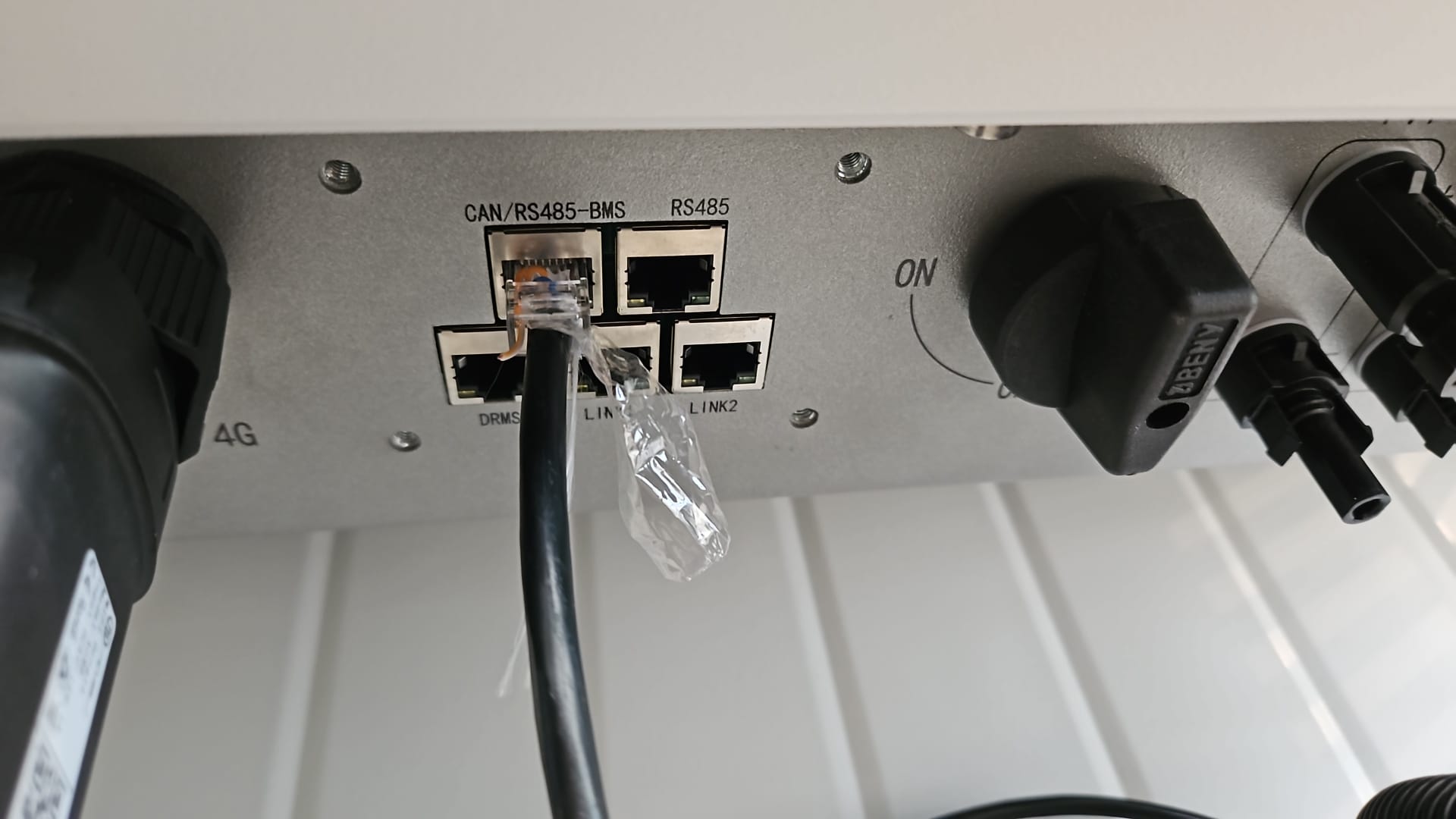
RS485 Wiring
- For correct RS485 wiring: Follow the guidelines for RS485 wiring.
- If the wiring shown in the table below is incorrect, please let us know.
- There is no general consensus in the industry about the usage of A and B for the RS485 polarity, so it may be counterintuitive and opposite of what you might expect for some devices.
| Device | Sofar EMS model OM1 | Sofar EMS model IG8 | RS485-USB converter | RS485-Ethernet converter |
|---|---|---|---|---|
| Pin 7 (White-Brown) | RS485 A | RS485_POS | RS485 A | TX+ |
| Pin 8 (Brown) | RS485 B | RS485_NEG | RS485 B | TX- |
| N/A | RS GND | GND | Not available | G |
Waarschuwing
Waarschuwing
Ik kan mijn Ampihome omvormer niet vinden Voor Ampowr hybride omvormers zijn de standaard busadressen 247 voor Modbus RTU en 255 voor Modbus TCP. De Sofar EMS zal apparaten zoeken op alle adressen van 1 tot 255. Daarom kan het scannen naar apparaten enige tijd duren.
TIP: Als u het busadres van uw omvormer kent, kunt u dit instellen in de Sofar EMS om het scanproces te versnellen.
Configuratie
Ampihome Enkelfasig
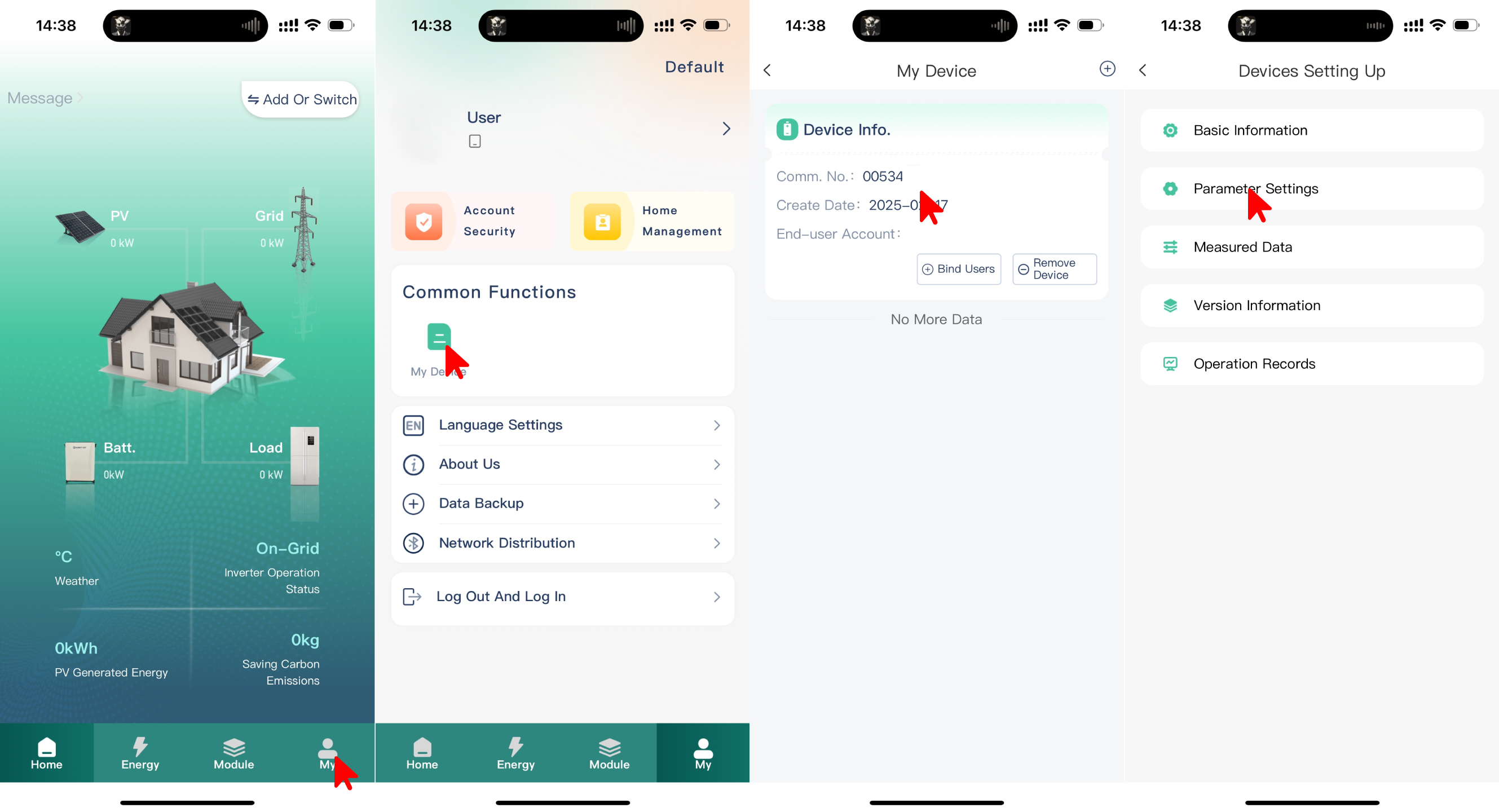
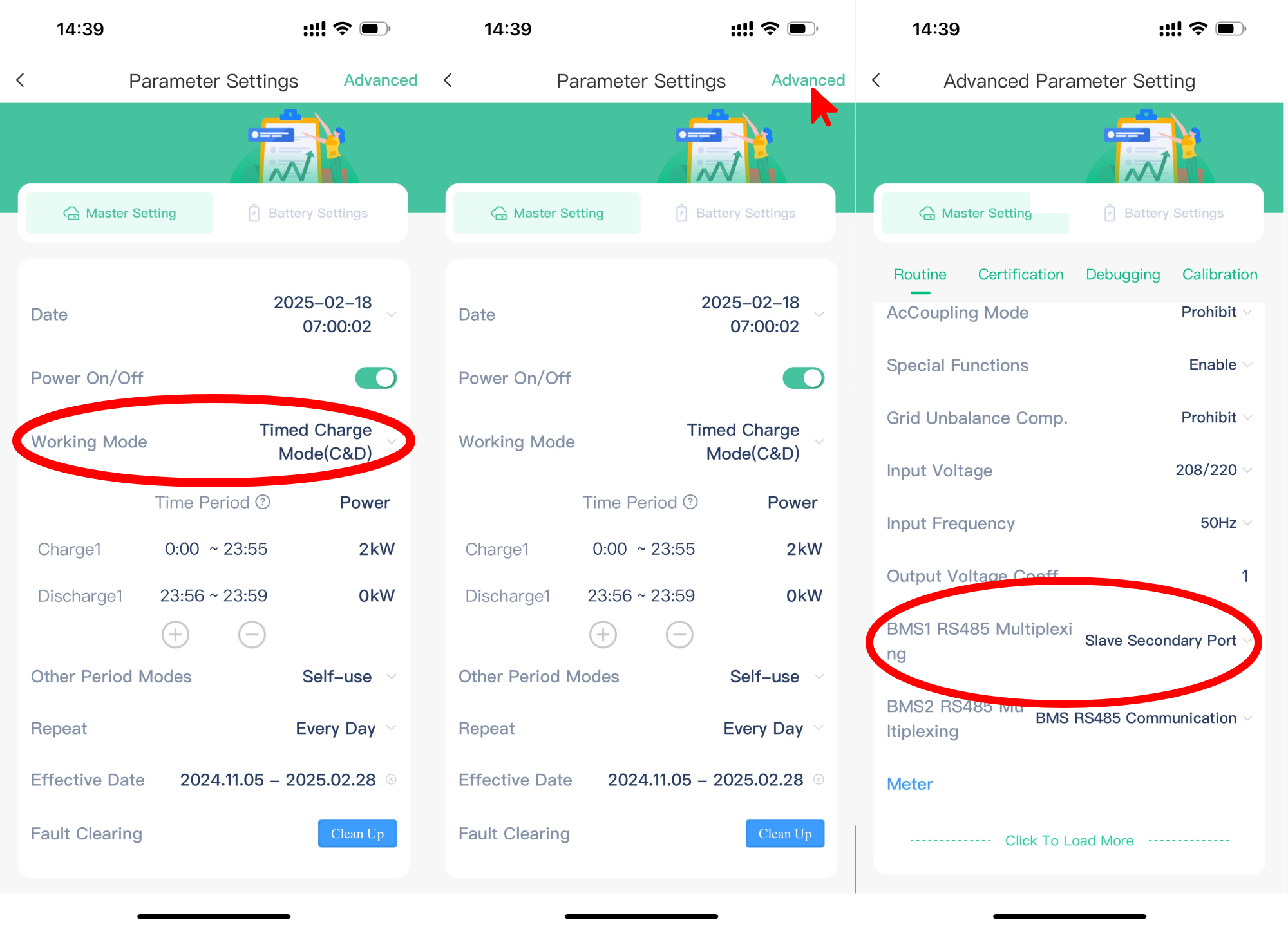
De Ampihome Enkelfasig moet worden ingesteld op Slave Secondary Port:
- Open de ESS Link app
- Selecteer "Mijn" in de rechteronderhoek
- Selecteer "Mijn Apparaat"
- Selecteer bij het apparaat "Comm No."
- Selecteer "Parameterinstellingen"
- Stel "Werkmodus" in op "Timed Charge Mode (C&D)"
- Selecteer "Geavanceerd" in de rechterbovenhoek
- Stel "BMS1 RS485 Multiplexing" in op "Slave Secondary Port"
Waarschuwing
NOTE: RS485 Device Addresses
- You MUST give each device on the RS485 bus a unique address. Check the manual of the device on how to do this.
- Use lower addresses first (1, 2, ...) because the Sofar EMS will find them faster!
- For each device, it is generally recommended to stick with the factory default baud rate, parity, and stop bits. The Sofar EMS will scan on those first.