

Fortona 48TL200 Batterijsysteem
Ondersteunde Apparaten
| Device Type | Variants | Modbus TCP (Ethernet) | RS485 | Curtailment |
|---|---|---|---|---|
| Fortona 48TL200 (FZSoNick) | 48TL200 | ❌ | ✅ | ❌ |
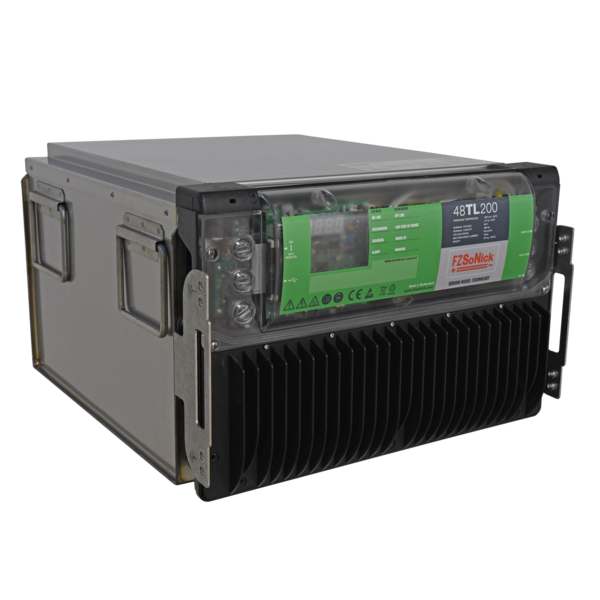
Bekabeling
De Sofar EMS communiceert met het Fortona 48TL200 batterijsysteem via RS485 (Modbus RTU).
Sluit de RS485-lijnen aan op de RJ45 communicatiepoorten aan de voorzijde van de batterij.
Info
RS485 Wiring
- For correct RS485 wiring: Follow the guidelines for RS485 wiring.
- If the wiring shown in the table below is incorrect, please let us know.
- There is no general consensus in the industry about the usage of A and B for the RS485 polarity, so it may be counterintuitive and opposite of what you might expect for some devices.
| Device | Sofar EMS model OM1 | Sofar EMS model IG8 | RS485-USB converter | RS485-Ethernet converter |
|---|---|---|---|---|
| RS485 D+ | RS485 A | RS485_POS | RS485 A | TX+ |
| RS485 D– | RS485 B | RS485_NEG | RS485 B | TX- |
| GND | RS GND | GND | Not available | G |
Waarschuwing
NOTE: RS485 Device Addresses
- You MUST give each device on the RS485 bus a unique address. Check the manual of the device on how to do this.
- Use lower addresses first (1, 2, ...) because the Sofar EMS will find them faster!
- For each device, it is generally recommended to stick with the factory default baud rate, parity, and stop bits. The Sofar EMS will scan on those first.
Configuratie
1. Controleer RS485 Bekabeling
- Zorg ervoor dat de RS485 D+, RS485 D– en GND lijnen correct zijn aangesloten.
- Gebruik twisted-paar kabel die geschikt is voor RS485 communicatie.
- Indien meerdere apparaten op dezelfde bus zijn aangesloten, terminateer het laatste apparaat volgens de RS485 best practices.
- Controleer dat alle apparaten dezelfde communicatieparameters gebruiken.
Tip
Tip
Communicatieparameters
- Protocol: Modbus RTU
- Baudrate: 115200
- Parity: Oneven of Even
- Stopbits: 1
- Modbus adres bereik: 1–247 (elk apparaat moet een unieke ID hebben)
2. Configureer de Sofar EMS
In de Sofar EMS interface:
- Voeg een nieuw RS485-apparaat toe.
- Selecteer “Fortona 48TL200 Battery Modbus Protocol”.
- Voer dezelfde RS485-parameters in als hierboven:
- Baudrate: 115200
- Parity: Oneven (of Even, afhankelijk van het systeem)
- Stopbits: 1
- Stel het correcte Modbus-adres voor de batterij in.
- Sla op en pas de configuratie toe.
Waarschuwing
Waarschuwing
Elke Fortona 48TL200 batterij moet een uniek Modbus slave ID hebben.
Vermijd dubbele ID’s op dezelfde RS485-lijn.
3. Zet Aan en Verifieer
- Sluit 54–60 VDC aan op het batterijsysteem.
- Zet de hoofdschakelaar AAN.
- De BMS initialiseert — beide leds aan de voorzijde knipperen tijdens het opstarten.
- Zodra het systeem operationeel is, gaan beide leds constant branden.
- De Sofar EMS zou nu automatisch de batterij moeten detecteren en gegevens uitlezen.
Tip
Tip
De batterij begint automatisch met laden als de laadtoestand (SOC) onder 100% is.