
Two Huawei product families are supported: the SCharger (AC wallbox) and the FusionCharge (commercial DC fast charger). Both communicate via Modbus TCP.
| Device Type | Manual | Modbus TCP (Ethernet) | RS485 | Curtailment |
|---|---|---|---|---|
| SCharger-7KS-S0 | Manual | ✅ | ❌ | ✅ |
| SCharger-22KT-S0 | ||||
| FusionCharge EV-charger | Manual |
The SCharger is an AC wallbox for residential and light commercial use.
For the most stable connection with the EMS, use a hardwired Ethernet (FE) connection.
While the charger supports Wi-Fi, a wired Ethernet connection is strongly recommended for reliable control by the EMS.
Use the FusionSolar App (Installer account) to configure the network and Modbus settings.
By default, the charger does not accept commands from external controllers. You must enable this:
If Modbus TCP is not enabled here, the EMS cannot detect or control the charger.
To ensure the EMS never loses connection, assign a static IP:
| Setting | Value |
|---|---|
| IP Address | The static IP you assigned in step 3 (e.g., 192.168.1.50) |
| Port | 502 |
| Slave ID | 1 (default) |
The FusionCharge is a commercial DC fast charger with multiple physical connector slots.
Access the antohill web interface or use antoeci cloud.
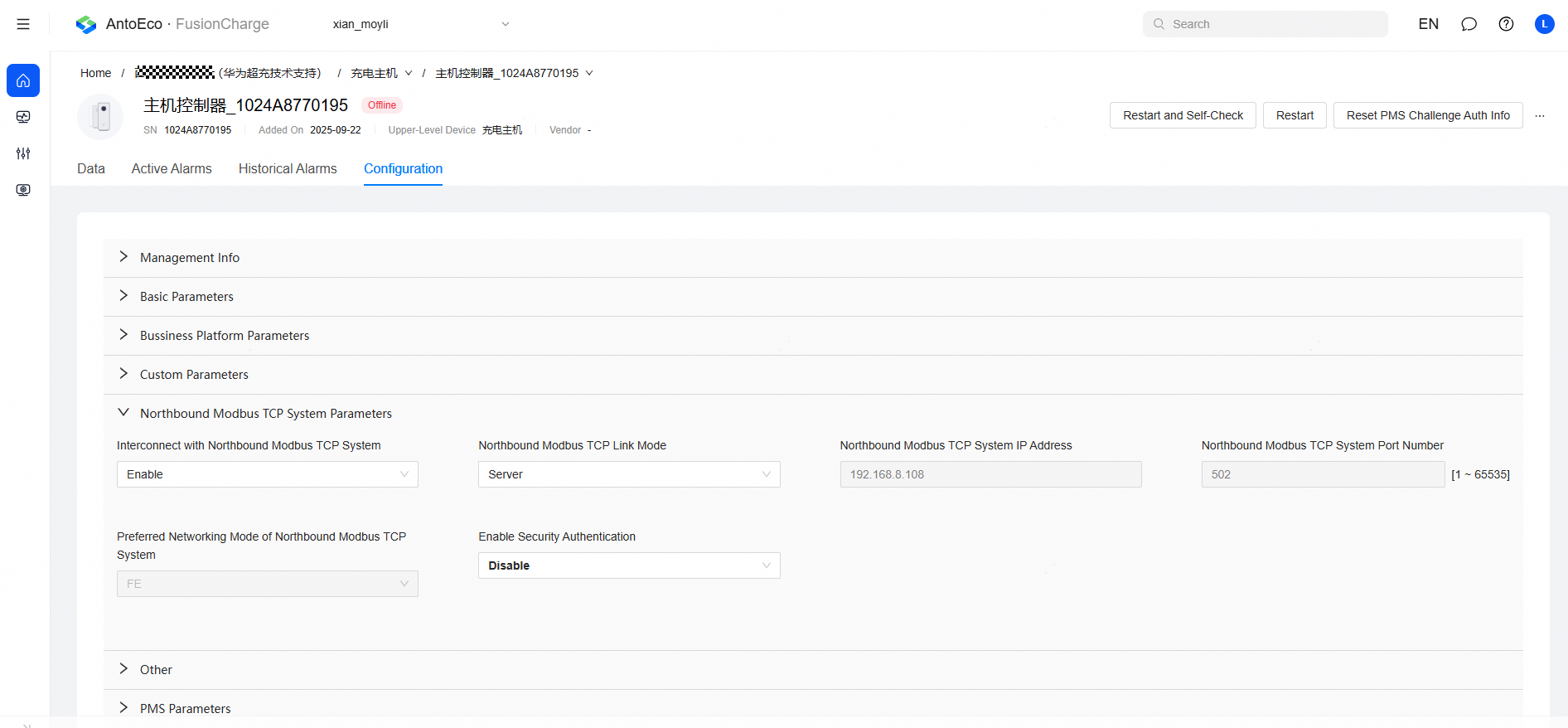
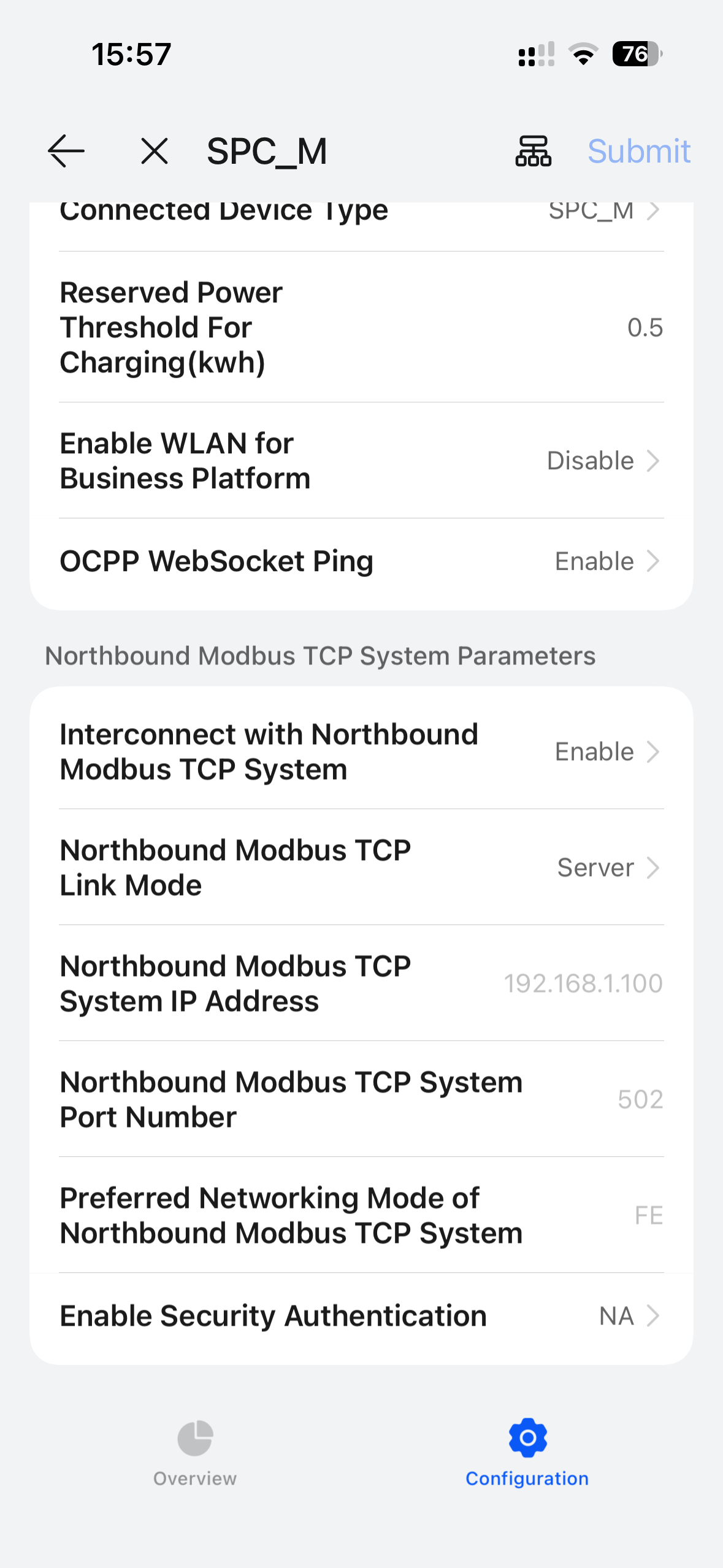
If Modbus TCP is not enabled, the EMS cannot detect or control the charger.
The FusionCharge has multiple physical connector slots, but accepts a single global power setpoint. The EMS therefore treats all connectors as one virtual connector for control, while still reading each one individually for monitoring: