Sofar logo
Sofar logo
Accessories
AppCertificates
Configuration from A to Z
Control response time
Customer Specific
Devices
Boiler
Cloud
Energy Meter
Ev Charging Station
a-TroniXABBAlfenAlpitronicAmtronAutelBlitz-PowerEaseeEnovatesEtrelEVChargeKingFLEXeCHARGEGo-eHuawei SChargerIlumenKempowerMyEnergi EV Charging StationsNexBlueOCPPPeblar EV Charging StationsRaedianSchneider ElectricSiemensSMASofarTeltonika EV Charging StationsTriathlonVolt-TimeVoolWallbox EV Charging StationsXargeon / ZhongDe EnergyZaptec
Gas Meter
Heat Pump
New integrations
Plc
Pv Hybrid And Battery Inverters
Switched Loads
Water Meter
EMS
External Signals
InstallationLicenseNetworkQuick StartSafety, maintenance and legal noticesSpecificationsStatus LEDs
Troubleshooting
Wiring & connectivity guidelines
DevicesEv Charging Station

Vool EV Charger

Vool

Supported Devices

Device TypeModbus TCP (Ethernet)
Vool EV Charger✅

Configuration

  1. Connect your computer to the same LAN network as the Vool charger.
  2. Access the charger's configuration interface and enable parameter 522 – Enable Modbus TCP/UDP interface. By default, Modbus is disabled on the charger.
  3. Ensure the charger is reachable on port 502 (TCP).
Warning
Warning

Please note:

  • Modbus and OCPP cannot be used simultaneously. The charger uses one common interface at a time — hybrid connections (e.g. Modbus on Wi-Fi and OCPP on Ethernet) are not supported.
  • The Modbus interface does not include any security. Only use Modbus in local, secure networks.
  • The charger supports a maximum of 3 simultaneous Modbus connections. Additional connection attempts will be rejected.

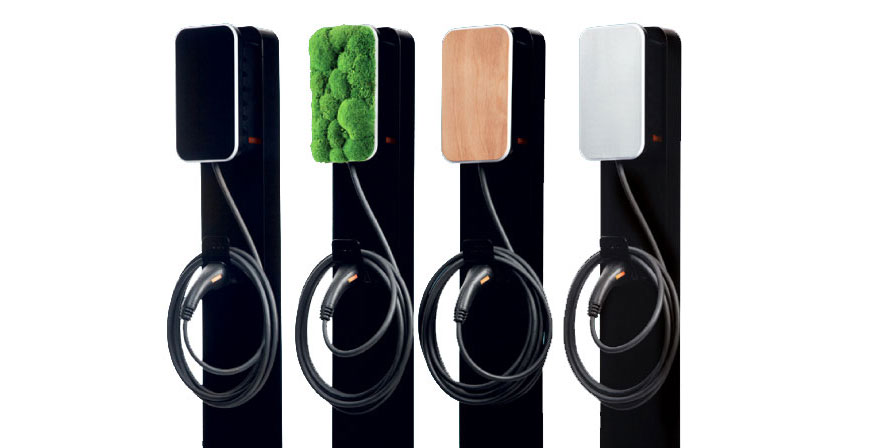
Vool charger

Volt-Time

Previous Page

Wallbox EV Charging Stations

Next Page

On this page

Vool EV ChargerSupported DevicesConfiguration