

| Device Type | Modbus TCP (Ethernet) | RS485 | Curtailment |
|---|---|---|---|
| Energy Manager | ✅ | ❌ | ✅ |
The communication between the Sofar EMS and the Tesvolt system operates via Modbus TCP. For correct ethernet wiring: Follow the the guidelines for ethernet wiring.
| Steps |
|---|
| 1a. Open the Tesvolt Energy Manager web interface. Request the link to the portal, and its login credentials from your installer |
1b. Go to Remote Control Signals under Device Settings and press Configure a Remote Control Signal: 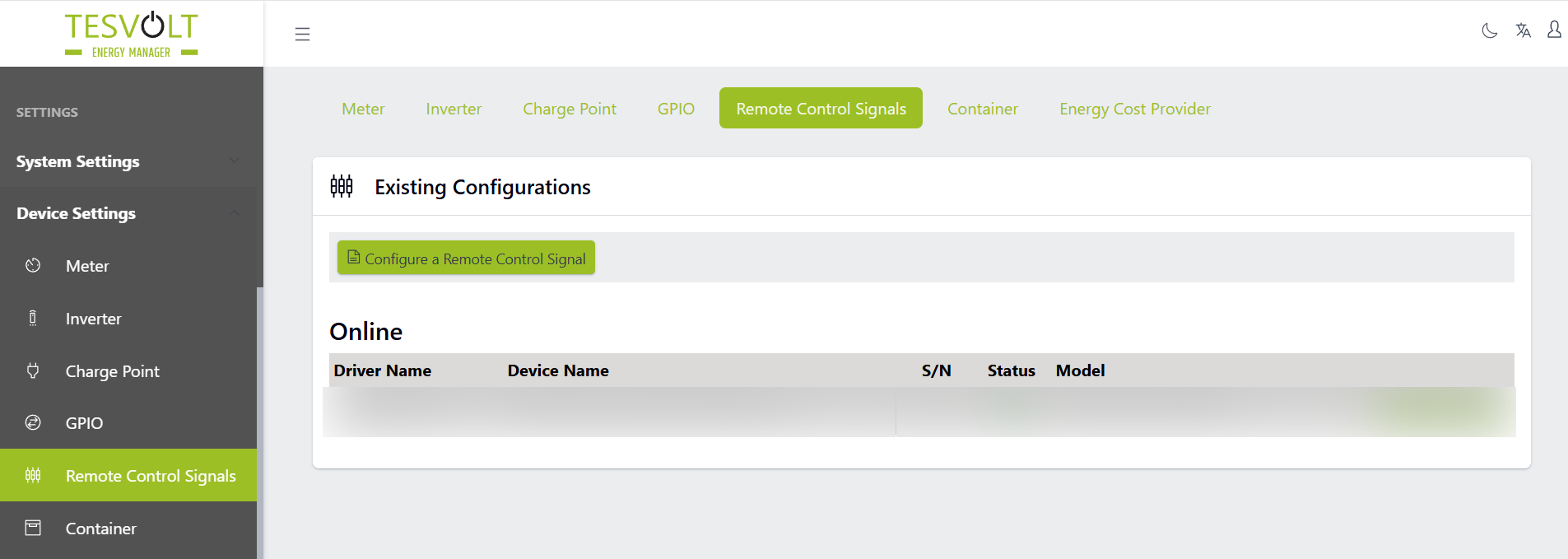 |
1c. Configure the device with the correct IP address(Listen Address) and slave address(Unit ID) and press Save: 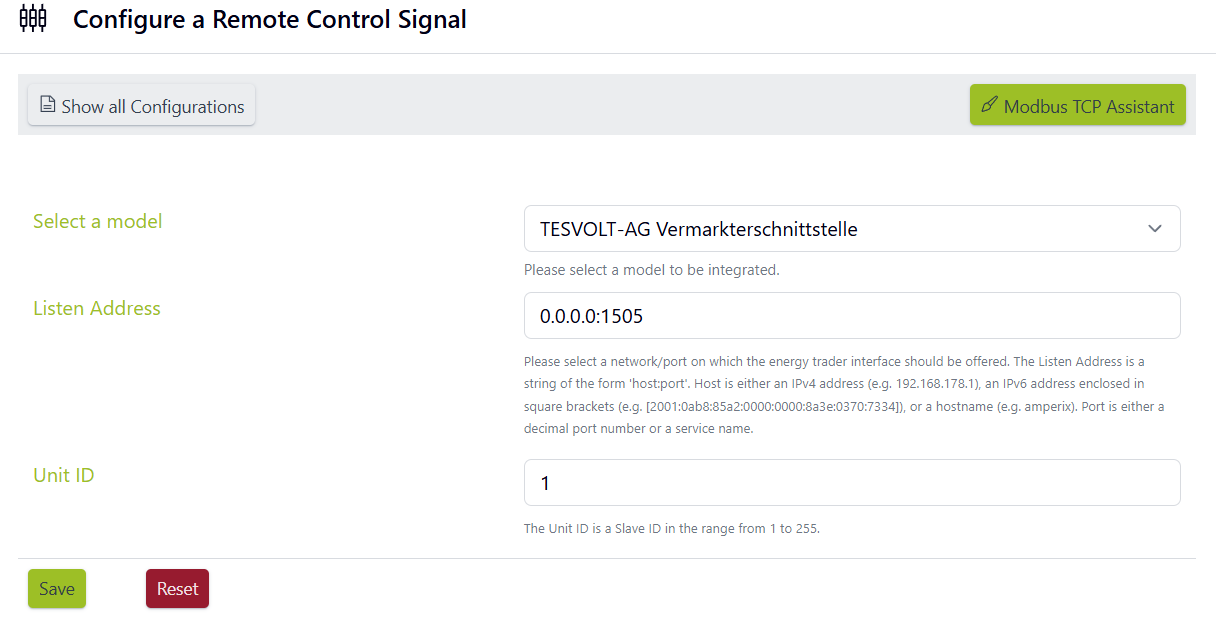 |
Inside the Tesvolt Energy manager web interface, it's possible to check the signals that are sent by the Sofar EMS to the Tesvolt Energy Manager. It can be reached using this way:
If any issues occur related to PV control, check if the following value corresponds with the value set by the controller:
If any issues occur related to battery control, check if the following value corresponds with the value set by the controller: