

In beta and available on request. The additions in this overview require the matching integration or controller update and are not confirmed as part of the standard customer release. Request them through your existing Eniris support conversation. The status applies to these additions, not to every existing function of the devices listed elsewhere on this page.
| Model / system | Beta addition | Validation and conditions |
|---|---|---|
| GoodWe GW4200D-NS | Single-phase monitoring without nonexistent fields | Exact model variant; no added control claim |
| Model / system | Beta addition | Validation and conditions |
|---|---|---|
| GoodWe GW100K | EMS/BMS and additional PV measurements | Monitoring extension; battery-control issues remain under investigation |
| Model / system | Beta addition | Validation and conditions |
|---|---|---|
| GoodWe GW6000ES20 parallel slave | Read-only inverter/PV measurements | Master retains shared battery and control |
See integration details for connection requirements and operating limitations.
| Device Type | Variants | Modbus TCP (Ethernet) | RS485 | Curtailment | Reactive power control |
|---|---|---|---|---|---|
| Energy Storage | EH | ⚠️ | ✅ | ✅ | — |
| ET | |||||
| ET G2 | |||||
| BH | |||||
| BT | |||||
| ES G2 | |||||
| SBP G2 | |||||
| Energy Storage (Old models) | EM | ❌ | 🛠️ | ||
| ES | |||||
| ESA | |||||
| SBP | |||||
| Residential | MS G3 | ||||
| XS G3 | |||||
| DNS G3 | |||||
| SDT G3 | |||||
| Grid-Tied | MT | ✅ | |||
| MT G2 | |||||
| SMT | |||||
| SDT G2 | |||||
| MS | |||||
| DNS | |||||
| XS | |||||
| Grid-Tied C&I | GT | ||||
| HT |
Modbus TCP is only available using a Wi-Fi/Lan kit
| Step | Image |
|---|---|
| 2a. Connect to the inverter’s WiFi and open the SolarGo app. | 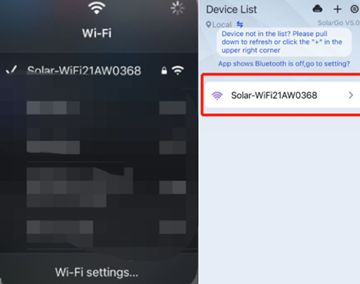 |
| 2b. Click More. | 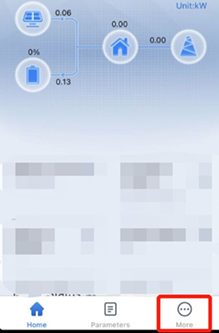 |
| 2c. Click Advanced Setting (you can find the password in the SolarGo manual). | 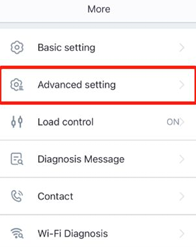 |
| 2d. Select Grid Parameter Setting. | 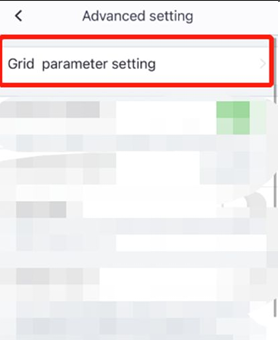 |
| 2e. Turn off Power Limit (If it is on, power from the battery cannot be fed into the grid). | 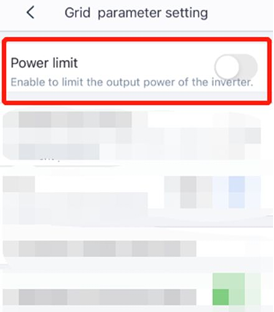 |
| 2f. Go back and click Cancel (these settings will be saved anyway, no restart is needed). | 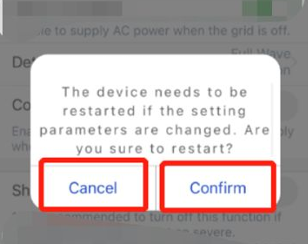 |
| Step | Image |
|---|---|
| 3a. Select Battery Setting. | 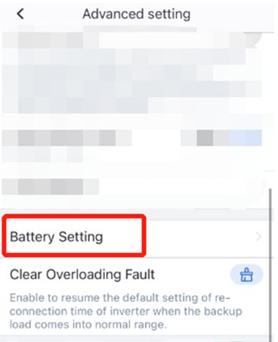 |
| 3b. Turn off SOC Protection. | 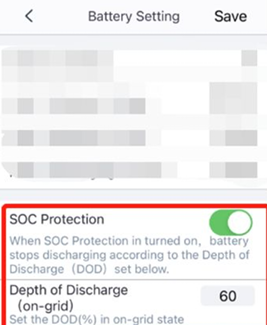 |
| 3c. Go back and click Cancel (these settings will be saved anyway, no restart is needed). | |
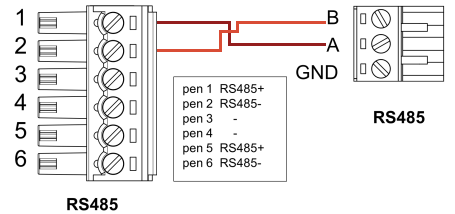
If you have multiple GoodWe devices, you can change their addresses separately or connect them in a daisy chain. Follow the wiring guidelines.
A custom variant avoids nonexistent phase/status fields on GW4200D-NS, so single-phase monitoring does not depend on registers the device cannot supply.
An implemented monitoring extension reads the EMS/BMS information and additional PV total/input measurements for the GW100K configuration. Control issues on the investigated system remain under investigation; this is not a claim that full battery control or all dual-battery configurations are validated.
A monitoring-only custom variant reads inverter and PV measurements from a GoodWe ES parallel slave that does not expose the master's BMS/EMS register blocks. The master retains the shared battery and control; the slave does not create a second battery or issue battery commands.